Voice translation · Windows · Pre-release

Read their words.
Answer in your language.

KOTOLVI captions calls with friends, translates guests for your stream and helps you follow lessons in another language. In games, read short callouts on your phone or second monitor.

Free version, no end date (full-sentence translation: 30 min per launch) / Pro is a one-time purchase, no subscription / Never touches your game

あいつあと一発、詰めよう!

One shotPush

He's one shot, push!

Mock-up (to be replaced with a real recording)

What KOTOLVI does

It listens to the voices playing on your PC
and shows captions and translations on another screen.

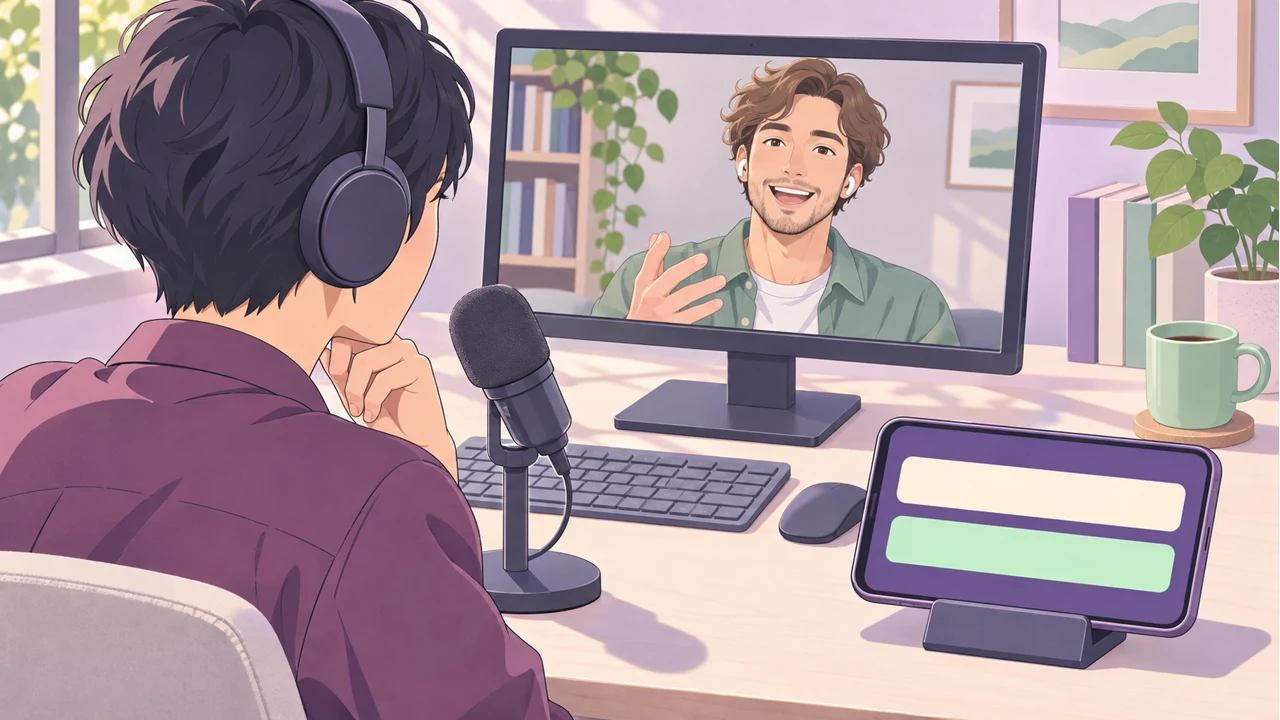
Reading translated captions on a phone during a call
  1. Read game voice chat

    Common callouts like “one shot” and “behind” appear big, right away. The full-sentence translation follows.

  2. Pick from 10 languages

    Choose the language your teammates speak and the language you read, from 10 each.

  3. Captions on your stream

    Paste the caption URL into OBS and your guest's speech shows up on stream as captions.

  4. Captions for videos and live streams Coming soon

    For videos and streams with no captions, the original line and the translation appear side by side.

  5. Sound effects for calls and streams

    Free includes 3 sounds. Pro includes 10 and lets you assign hotkeys or trigger a pad from Stream Deck.

  6. Voice add-ons

    Add-on packs put effects and your own VST3 plug-ins on the read-aloud voice.

The free version has no end date. Pro is a one-time purchase with no subscription. See pricing ↓

01 APEX / Before and after

See “One shot” on screen
and push together.

Before
Your teammate says something you can't follow. You back off alone.
After
One shot Push on your second screen. You push together.
Teammate VC JA → ENあいつあと一発!詰めよう!One shot · Push

02 DEAD BY DAYLIGHT / Before and after

See “In chase” on screen
and stay on the gen.

Before
You can't tell what is happening to your teammate. You run in for the save.
After
In chase 2 gens left on your second screen. You stay on the gen.

These labels are real output of the callout dictionary for this sentence. Speech recognition and translation can still get things wrong.

Teammate VC KO → EN나 쫓기고 있어! 발전기 2개 남았어!In chase · 2 gens left

How it works

Common callouts are matched against a dictionary
and shown right away.

  1. Callout first, sentence after.

    Common callouts like “one shot”, “behind” and “rez me” are matched against a dictionary of game talk and shown big, right away. The full-sentence translation follows, smaller.

  2. Dictionaries of game talk

    “Cracked” means armor broken, not a broken screen. “Gen” means generator. Built-in dictionaries for FPS, co-op horror, MOBA and survival games, and you can add your squad's own nicknames.

  3. Unsure translations get a “?”

    A shaky translation gets a “?” and the original line next to it.

Where you read it

Read it on a second monitor
or your phone.

  • Big on a second monitor

    Callouts and translations, large, on the screen next to your game.

  • Your phone under the monitor

    Scan a QR code. It only works inside your own Wi-Fi.

  • As captions in OBS

    Paste the caption URL into an OBS Browser source.

Watch KOTOLVI in a call and a stream

6:52 · A translated call, live captions, Free and Pro, and optional packs. Japanese audio and on-screen text.

More ways to use it

For streams, and for learning.

For streamers

Your guest's speech,
as captions on your stream.

  1. What it does

    Your guest’s words appear in your language on stream. Pro can color-code captions by speaker (experimental).

  2. Setup

    Paste the caption URL into an OBS Browser source.

From your Stream Deck (Pro): each SoundBoard pad already has a key combination (Ctrl+Alt+Shift+Numpad). Put the same combination in the Stream Deck's standard "Hotkey" action, and one press plays the sound. If another app uses it, switch to F13-F24: keyboards don't have these keys, but a Stream Deck can send them, so nothing else clashes. No plugin needed. The Stream Deck sends the key; KOTOLVI only receives it.
Add-on pack (DLC): keep a log of the captions and export SRT, so clipping with subtitles goes faster. Logging only runs when you turn it on.
If you put other people's voices or captions on stream, let them know first.

For language learners on YouTube Coming soon

Pause it, rewind it,
keep the line.

  1. What it does

    Original and translation side by side. Tap a line to jump back to it. Star it and add a note to review later.

  2. Setup

    Keep watching YouTube as usual and open KOTOLVI next to it. Videos are never downloaded; KOTOLVI uses YouTube's official player.

For videos with no captions, the "Watch videos and streams" profile captions the sound your PC is playing (nothing is downloaded or saved). We'll ship this once it's confirmed on the release build.

Account safety

It turns the voices you hear into text.
It doesn't touch your game.

What KOTOLVI never does

  • Never injects into or hooks the game
  • Never reads or changes game memory or files
  • Never sends keyboard or mouse input to the game
  • Never draws over the game screen
  • Never pulls enemy position or direction out of footsteps or gunfire
  • You control when captioning starts. Ordinary live captions do not save call audio.

What KOTOLVI does: only after you press start, it turns the voices already reaching your ears into text on a different screen.

What the publishers have said

GameStatusDate
Apex LegendsAsked. EA replied that they do not provide formal reviews or guidance for third-party apps, and pointed us to their terms of service. We do not have a “yes, you can use it” from the publisher.2026-11-10
Dead by DaylightAsked. Waiting for a reply.2026-11-10
Other gamesWe'll ask one by one and post the replies here.-

Each game's publisher sets its own rules, so we can't promise it is fine in every game; what they have told us is in the table above. If you're unsure, you can use it on Discord calls only. Please don't use it in tournaments or official competitive play. Safe use guide (Japanese)

Voices stay on your PC

Your teammates' voices and yours never leave your own machines.

  • Speech recognition and translation run on your PC, or on a second PC in your home.
  • Ordinary live captions do not save audio. Caption history is saved only when enabled.
  • The internet is used once, to download the speech recognition model on first run.

Talk / your own voice

A few seconds of your voice,
and it speaks their language.

KOTOLVI translates what you say into your microphone and plays it into the call in your own voice. The voice is made on this PC only and is never sent anywhere. For calls, route the translated voice or sound effects through a virtual audio cable such as VB-CABLE and select its output as the call app’s microphone.

  1. Try it free

    Inside the free version's 30 minutes per session, you can use the basic voice made from a sample of a few seconds. Recording your own voice requires Pro.

  2. No time limit with Pro

    Pro uses the same basic voice with no time limit.

  3. Make it closer

    The add-on “Own Voice Premium” (needs Pro) makes a closer voice from 30 minutes to 3 hours of your own recordings.

Listen and compare (same sentence, two voices)

  • こんにちは。今日は一緒に遊べてうれしいです。

    Basic voice
    Own Voice Premium
  • 北のゲートが開きました。先に行って待っています。

    Basic voice
    Own Voice Premium
  • Hi, nice to meet you. Let's have a good game.

    Basic voice
    Own Voice Premium
  • The north gate is open. I'll go ahead and wait for you.

    Basic voice
    Own Voice Premium

These samples were made with the developer's own voice. How close it sounds depends on the recordings and the PC. Making your own voice needs an NVIDIA GPU; on a PC without one, Talk speaks with a Windows voice. Each sentence is translated and spoken after you finish it, so it comes a little later.

Pricing

Start free.
If you like it, buy it once.

Prices for the Streamer Pack, Sing Pack and their bundle are to be determined.

Free

No end date

No charge

Free

Included

  • Callouts in your languageNo time limit
  • Full-sentence translationFrom the language you pick for them into the language you pick for you. 30 minutes per launch
  • Live captions on a second monitor, phone or OBS
  • 3 soundboard sounds, including applause
  • Basic own voice in 10 languages, within the 30-minute session

Pro

For longer calls and streams

One-time purchase · No subscription

See the store

Everything in Free, plus

  • Unlimited full-sentence translation
  • Higher-quality model options
  • Named profiles
  • SoundBoard10 built-in sounds; up to 24 pads including your WAV files
  • Microphone EQ, noise suppression and clipping protection
  • Unlimited basic own voice

Add-on packs (DLC)

Pro required except for the standalone singing pack

Priced at launch

Optional packs

  • Caption saving packRecord captions, save as SRT or text
  • Stream voice packReverb, delay, de-esser and robot effects for the read-aloud voice
  • Streamer pack10 voice plug-ins and support for your VST3s
  • Singing pack12 vocal plug-ins; works with Free or Pro

Recording a conversation with participants’ consent and jumping back to a scene from its captions are planned features.

Every core feature works without them.

After 30 minutes, callouts and the original lines keep coming. Relaunch and you get another 30 minutes. Prices in your currency appear on the store page. Refunds follow Steam and Microsoft Store policies. You get the same features from either store. Japanese prices (in Japanese)

Check release statusWishlist on SteamAvailable once the store page is live

Planned stores

SteamMicrosoft Store

What you need

  • Windows 10 / 11
  • Callouts run without a GPU. An NVIDIA GPU is recommended for full-sentence translation.
  • A second monitor, or a phone on the same Wi-Fi

What it can't do

  • It's not simultaneous interpretation. Full sentences appear after each pause in speech.
  • It can't pull out only your teammates' voices. Game sound or music on the same output can cause mistakes and delays. Sending Discord to its own output device helps.
  • Recognition and translation make mistakes, more so with fast talk, music, or people talking over each other.
  • It doesn't run fully offline from the start (the model downloads on first run).
  • The phone display only works on your own network. You can't view it from outside.

FAQ

Will I get banned?

KOTOLVI never touches the game's code or memory and draws nothing over the game. Each publisher decides what is allowed in its game, so we can't promise it is fine everywhere. See the table above for what publishers have told us so far.

Which languages does it understand?

Your teammates can speak any of 10 languages: English, Japanese, Korean, Chinese, Spanish, French, German, Portuguese, Italian and Russian. Captions can be shown in any of the same 10. Automatic language detection is experimental. The free version uses the same language choices.

Is it built for English speakers?

It started as a tool for Japanese players with English-speaking teammates, so English → Japanese is the most polished path. Showing callouts in English works too, with callout dictionaries for Japanese, Korean, Chinese and Portuguese speech. Try the free version to see how it does with your squad.

I only have one monitor.

Use your phone. Just scan the QR code.

Will it slow my game down?

Recognition and translation use the GPU. If it feels heavy, switch to callouts only (no GPU), or let a second PC in your home handle translation.Heavy translation runs on the stronger PC, and your gaming PC stays light. Try the free version on your own PC first.

Can I find out if it runs on my PC before buying?

Yes. Open the free PC check: pick your GPU and memory for a quick answer, or run the free Windows tool to read this PC exactly. Neither sends the result anywhere. You can also try the free version for 30 minutes.

How long can I use the free version?

There is no end date. Full-sentence translation is limited to 30 minutes per launch; callouts never stop.

What languages can the app itself be shown in?

日本語, English, 简体中文, 한국어, Deutsch, Français, Русский, Português (Brasil), Español and Italiano. The display language is set separately from the languages you listen to and translate into.

Is there a subscription?

No. Pro is a one-time purchase.

Do I need to tell the people I'm talking to?

Yes. It processes their voices, so let them know you're using a translation tool.

Are voices sent anywhere?

Not over the internet. Everything is processed on your own PC (or, if you set it up, a second PC on your home network).

Got Japanese friends who go quiet on comms?

Send them the Japanese page.

KOTOLVI was made in Japan for exactly that player: the one who understands the game but can't keep up with fast English callouts. English → Japanese is the path we've tested the most. Open the Japanese page

PRE-RELEASE / WINDOWS

Coming to
Steam and Microsoft Store.

The free version has no end date (full-sentence translation: 30 minutes per launch).

Try it free (Windows)Wishlist on Steam

The free version goes live on launch day. These buttons turn on then.

The first time you start it

KOTOLVI comes signed by its publisher. While the signature is new, Windows may show a check screen first.

Illustration (the real screen varies with your Windows version)
Details
  1. Press “More info”.
  2. Check that Publisher shows the developer’s name, “Baisound”.
  3. Press “Run anyway”.

You do not need to turn SmartScreen off. Installed from the Microsoft Store, this screen does not appear. If the publisher name is different, do not run it and contact us.

Questions before launch ↗
Status
In development, pre-release
Release date
TBA
Price
Free / Pro one-time purchase (price shown on the store)
Planned stores
Steam, Microsoft Store

KOTOLVI is not affiliated with or endorsed by any game publisher. Game titles are trademarks of their respective owners.